

.png)
Open Settings, then scroll down to find Apps
.webp)
Tap on the browser (Safrai, Chrome, ...) you're using to open the inspetion link.
Note: If the browser doesn't appear in the Settings list at all, it usually means the app has never asked for permission yet — open the link again and tap "Allow" when the in-browser prompt appears; it should then show up in Settings for future reference.
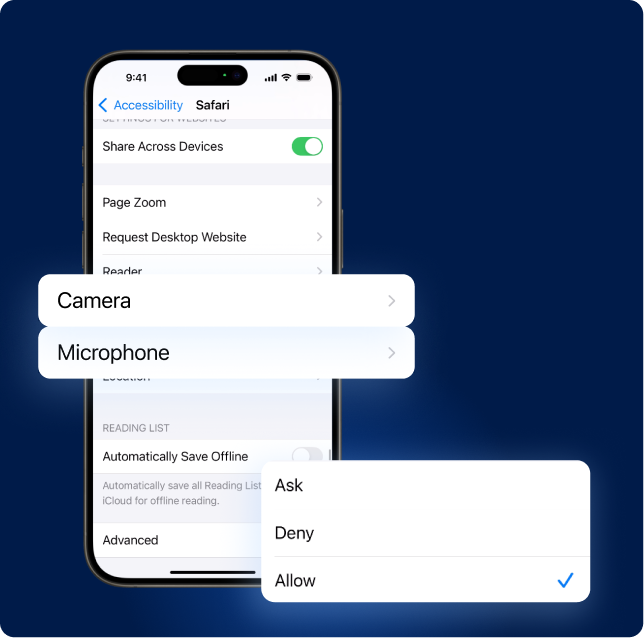
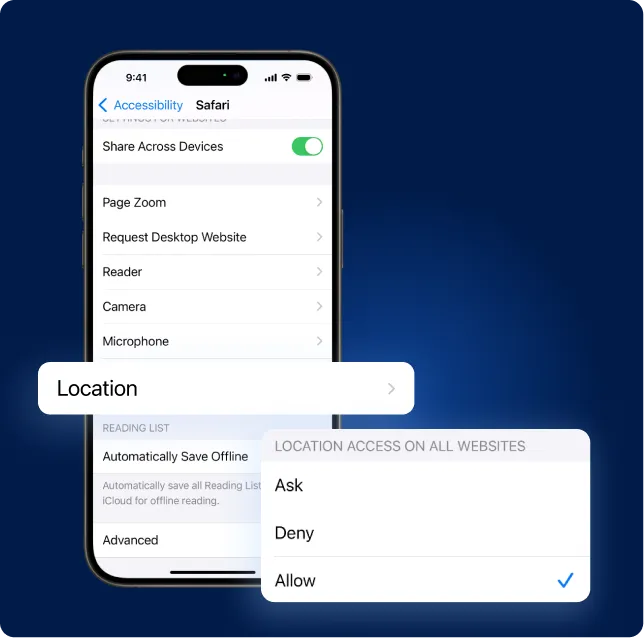
Tap Camera and choose Allow.
Tap Microphone and choose Allow.