

.webp)
Open the Settings app on your phone and go to Location.
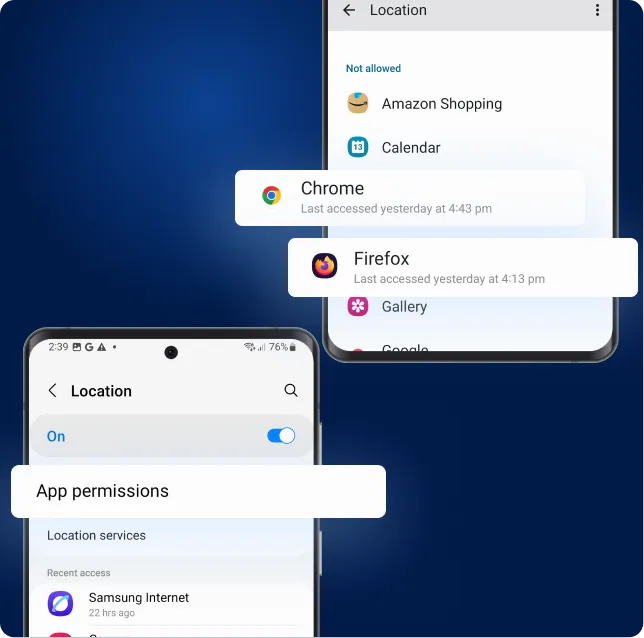
Tap App permissions, then select the browser you’re using (Chrome or Firefox).
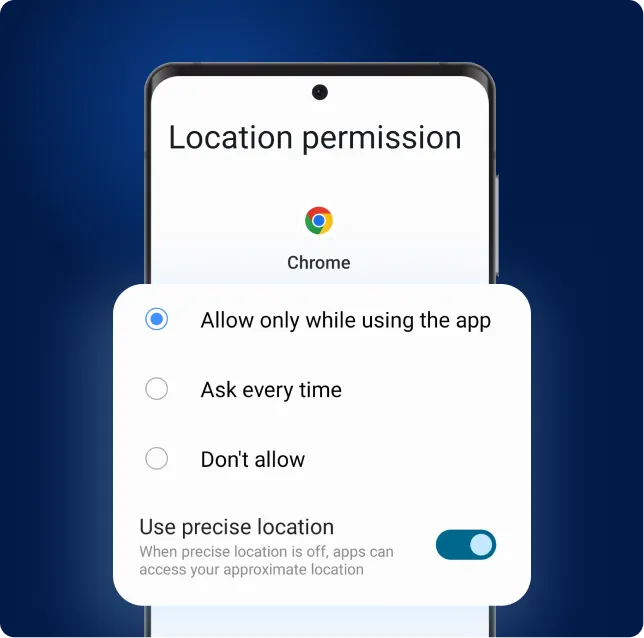
Tap "Allow only while using the app", and make sure "Use precise location" is ON
.webp)
Go back to the vehicle inspection page and refresh. Your location should now work.
Your browser may have blocked location for our website. Follow the steps below to allow it in Chrome or Firefox.
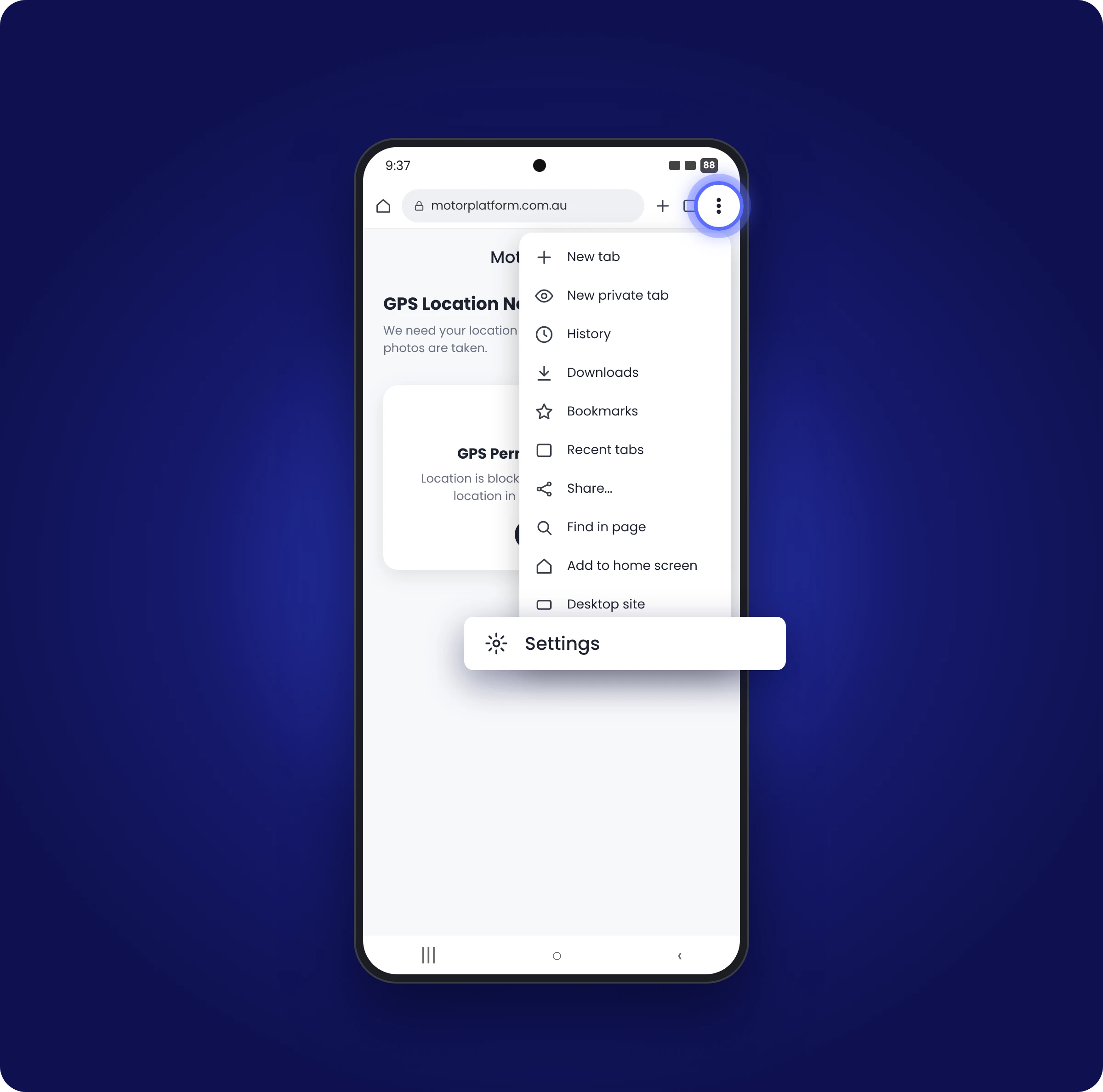
Tap the three dots (⋮) in your browser and open Settings.
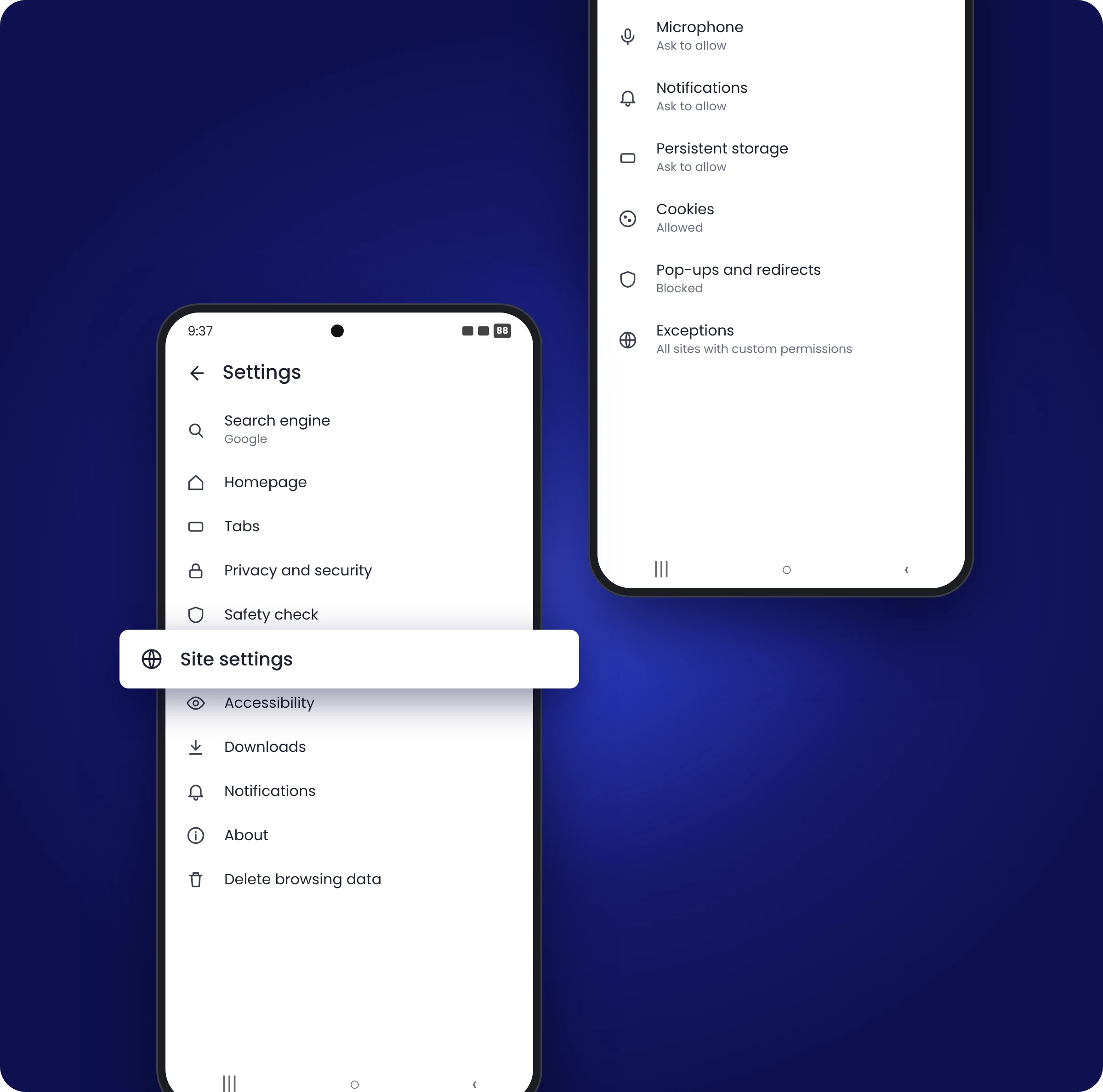
Scroll down and tap Site settings.
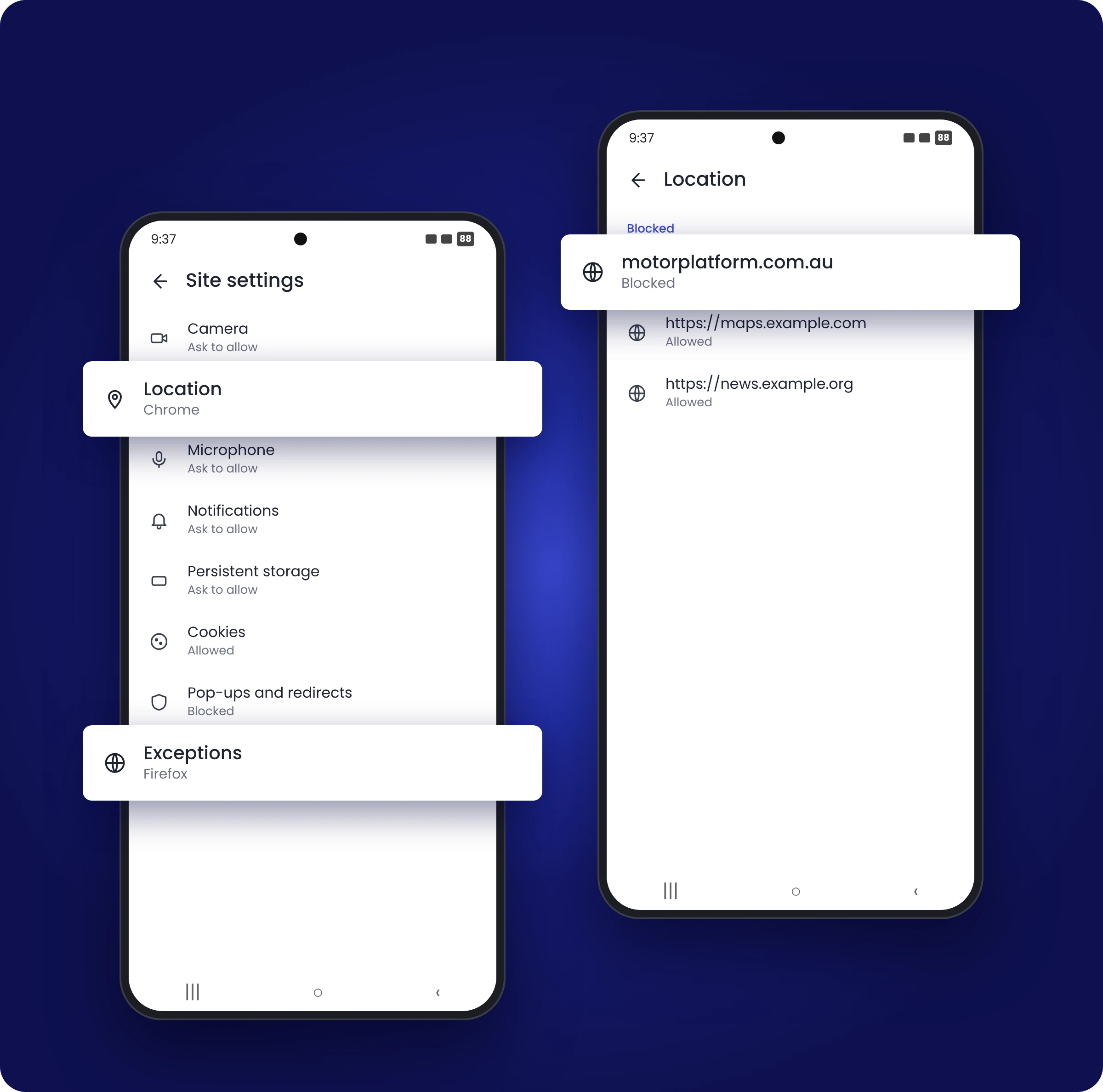
Tap Location (Chrome) or Exceptions (Firefox), then tap the MotorPlatform website.
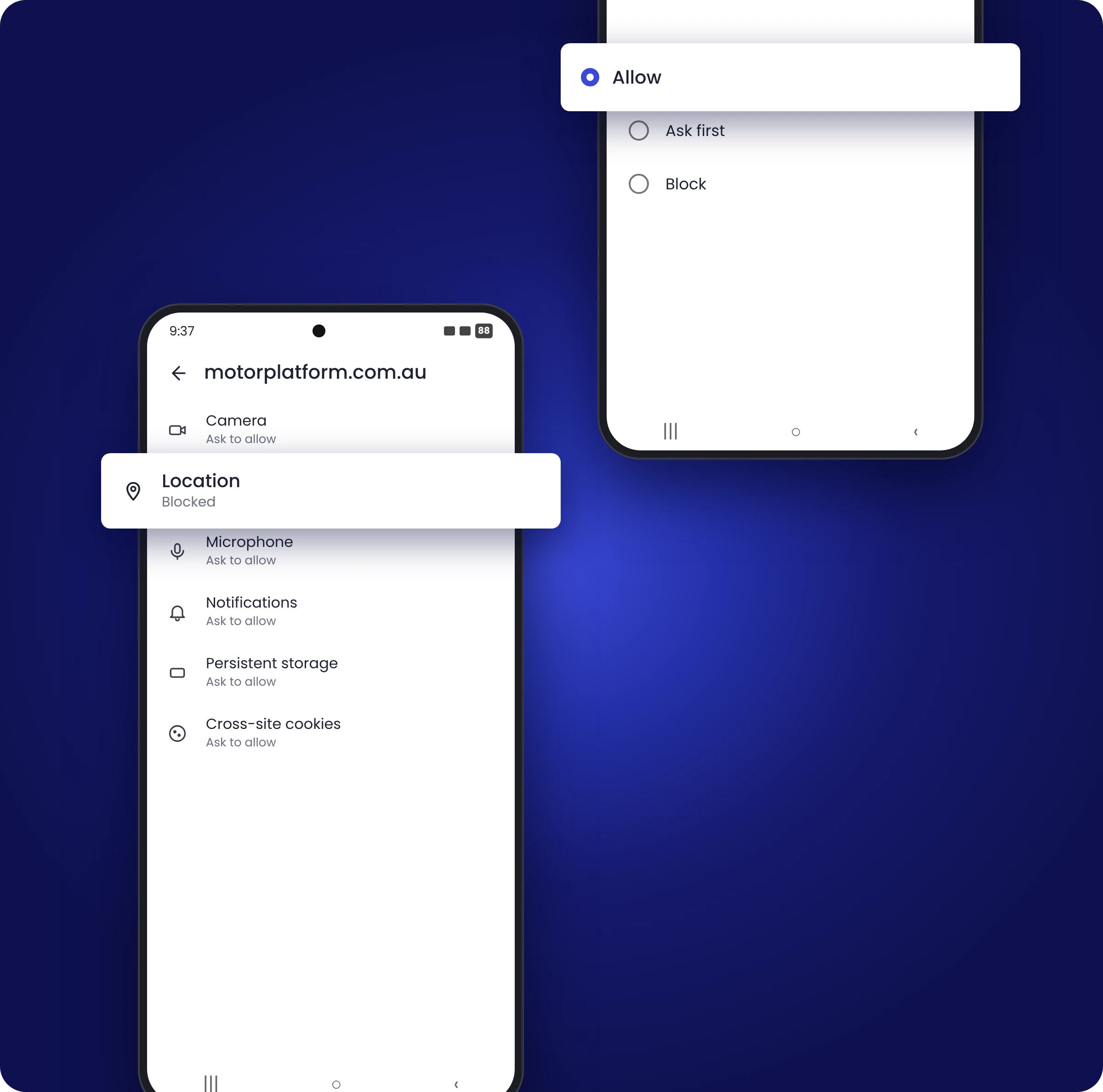
Tap Location and change it from Block to Allow.
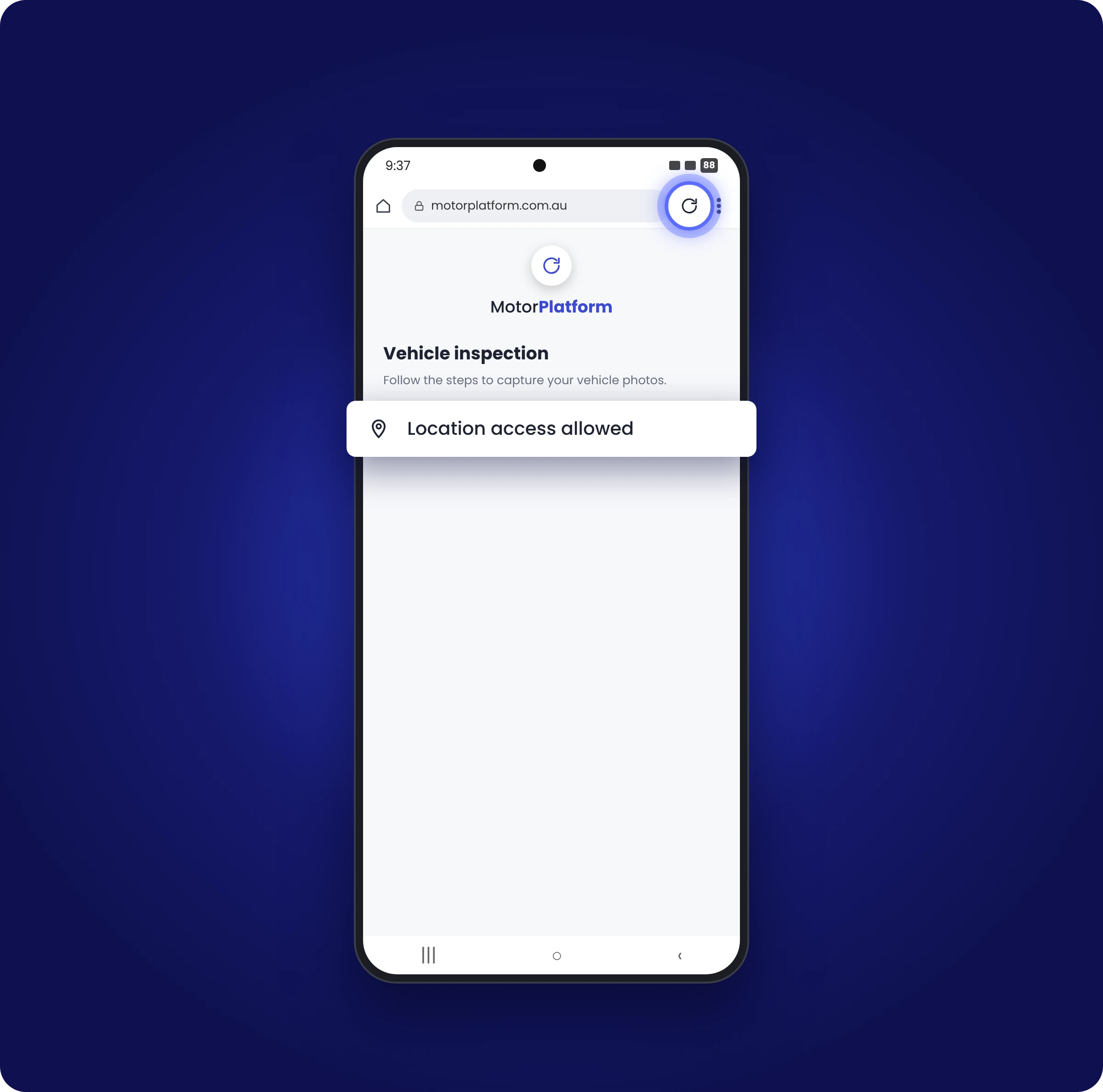
Go back and refresh the page.